PG&E Share My Data
Connect your PG&E account in about 3 minutes
You will log in on PG&E's own website and approve sharing your energy data with Sonoma Energy Alliance. We never see your PG&E password. Here is what to expect.
Before you start
- Have the email and password for your online PG&E account ready. It must be the account that receives the bill for this property.
- No online account yet? Create one at pge.com first, then come back to this page.
- This works on a phone or a computer. Keep this browser tab open until the end.
-
1Continue to PG&E
Press the Continue to PG&E button at the bottom of this page. PG&E's sign-in page opens in a new tab. Keep this page open so you can follow the steps below.
-
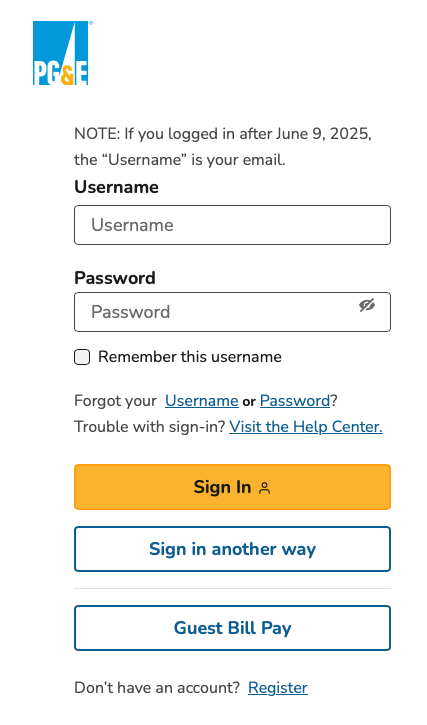
2Sign in to your PG&E account
Use the account that receives the bill for this property. If you last logged in after June 9, 2025, your username is your email address. PG&E may text or email you a verification code; enter it when asked.
-
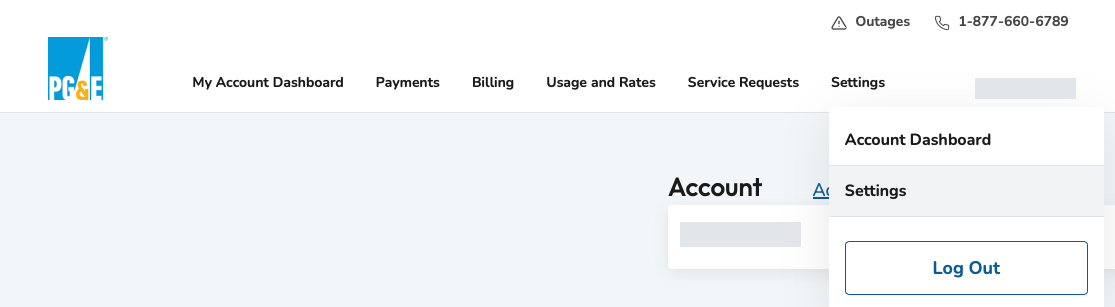
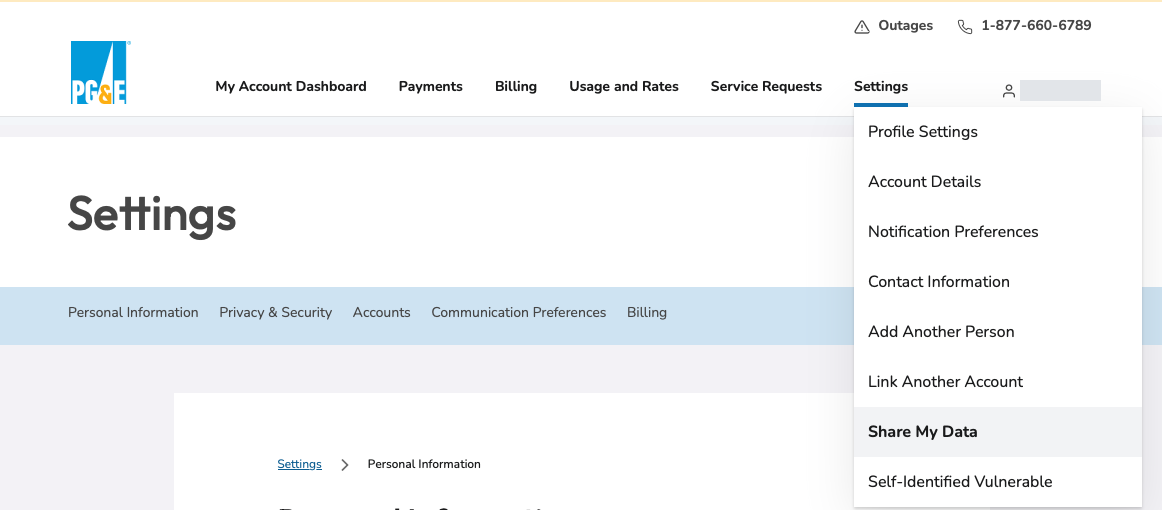
3Open Share My Data
Once you are signed in, open the Settings menu at the top, then choose Share My Data.
-
4Add Sonoma Energy Alliance LLC
Choose to add a new authorization for Sonoma Energy Alliance LLC, then click Next.
-
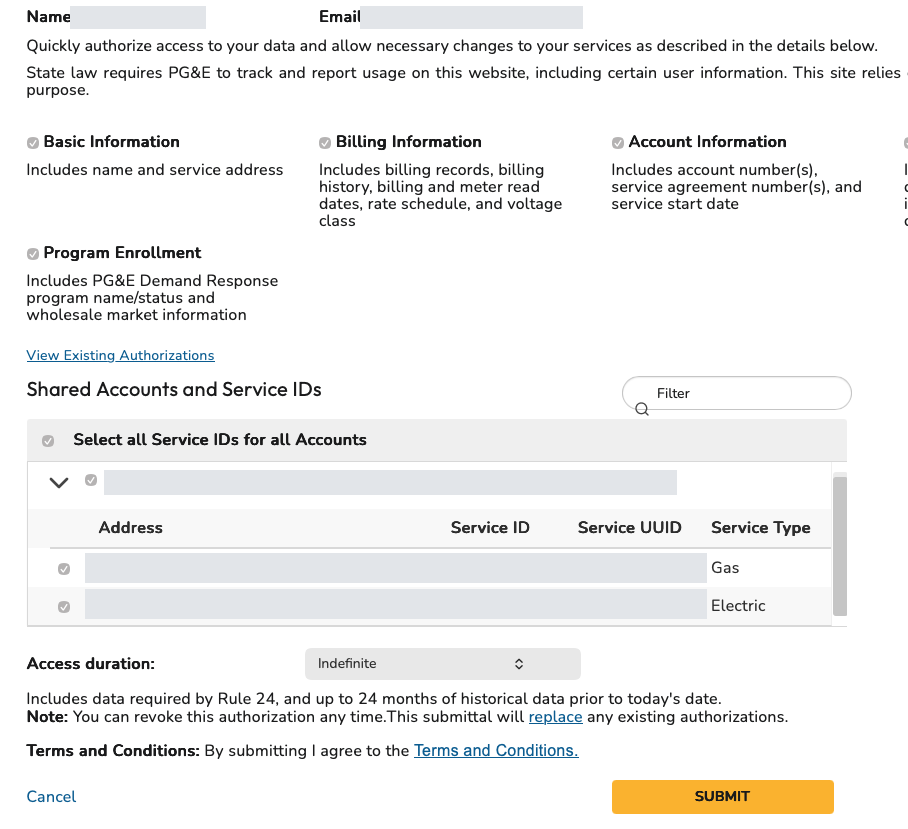
5Pick your electric and gas service, then Submit
PG&E lists what will be shared (basic, billing and account information, usage, and program enrollment, including up to 24 months of history). Under Shared Accounts and Service IDs, check the electric and gas service for the address you want us to analyze. Agree to the terms and click Submit. You can revoke access any time from your PG&E account.
-
6Back at Sonoma Energy Alliance: confirm and create your report
After you submit, you will be taken back to the Sonoma Energy Alliance site. Complete any relevant information on the page, and add a note under Anything else we should know? if you like. You can also upload a PG&E bill here, which lets us check your rates, tariff and other details more accurately. Then click Create Energy Report. By doing so you authorize Sonoma Energy Alliance to use your PG&E data to prepare your report and project review. We do not sell your information, and we only share it when you authorize it.
Please do not close the tab before this step. If you are not brought back automatically, email us and we will finish it for you.

PG&E may update its screens from time to time, so yours could look slightly different. If anything is unclear, just email us.
Prefer not to connect your PG&E account?
You can upload your usage file or a recent bill instead.
Stuck or something went wrong?
Nothing is lost if you stop. Come back to your report and press Connect again. Or email us at info@SonomaEnergyAlliance.com and we will help.